国产av成人精品播放,中文成人无码精品久久久不卡,国产91在线精品福利,久久综合精品不卡一区二区,成人在线免费视频ww,福利网站导航,精品欧美一区二区三区四区,视频一区二区三区福利在线
      Welcome to the official website of Lihong Safety Equipment Engineering (Shanghai) Co., Ltd.!
      Position首頁 > Home > Smart security > Intrinsic Intelligent Safety + AI > Electric energy automatic LOTO lock
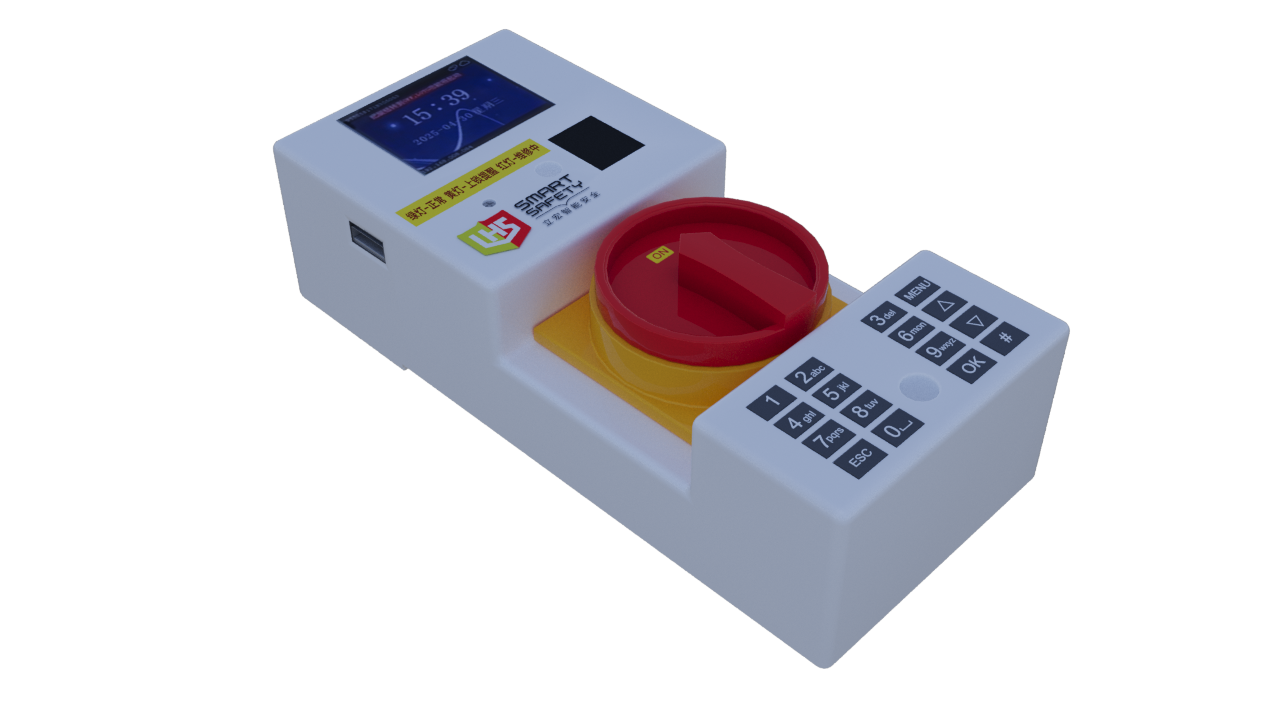
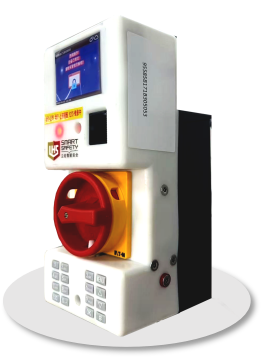
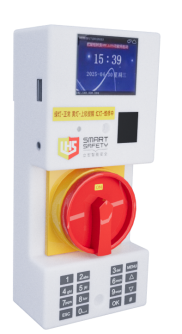
      AI Smart LOTO/4G intelligent automatic locking and listing


      圖片3.png

      Smart LOTO: Intelligent Automatic Lockout-Tagout

      Smart LOTO: Intelligent Automatic Lockout-Tagout

      • Innovative Safety Technology to Eliminate Human Errors

      • Smart LOTO is an advanced device designed to reduce safety risks.

      • It aims to eliminate the most common human errors in the traditional Lockout-Tagout (LOTO) process

      Product Selection

      Product Name

      Product Model

      Description

      Other

      Smart Lockout-Tagout(Electrical Energy) Device

      LOTO-L-WiFi-V2

      Electrical energy monitoring and locking

      WiFi Version


      The problems of traditional LOTO

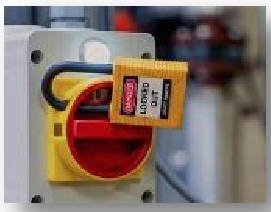
      ·TheTraditional LOTO procedures require operators to ?manually lock out the power supply after it is turned off, ensuring electrical isolation during equipment maintenance

      ·However, this method is highly dependent on the operator's execution. If the operator neglects to perform the lockout procedure, it may lead to the equipment being accidentally started by others, thereby causing serious safety accidents.

      圖片4.png


      The solution of Smart LOTO

      1749030457417251.png
      • Smart LOTO eliminates human error through automated locking mechanisms.

      • Post-installation, it ?retrofits traditional power switches? (compatible with EATON, Schneider, and other major brands)

      • Operators rotate the switch to the "OFF" position as usual, triggering Smart LOTO to ?mechanically pop up locking tabs? that secure the knob to the base—eliminating manual lock application


      Multiple functions of Smart LOTO

      I. Automatic Locking Mechanism
      • If no fingerprint input is detected within the specified time, the system automatically triggers a violation lock.
      • At that time, the locking mechanism is activated, and the equipment can only be unlocked by the administrator's fingerprint.
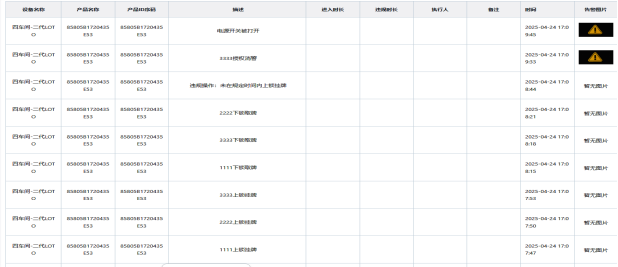
      • Meanwhile, the system stores the event log and uploads it to the management platform

      1749176181604552.png

      II. Single-person Operation Process
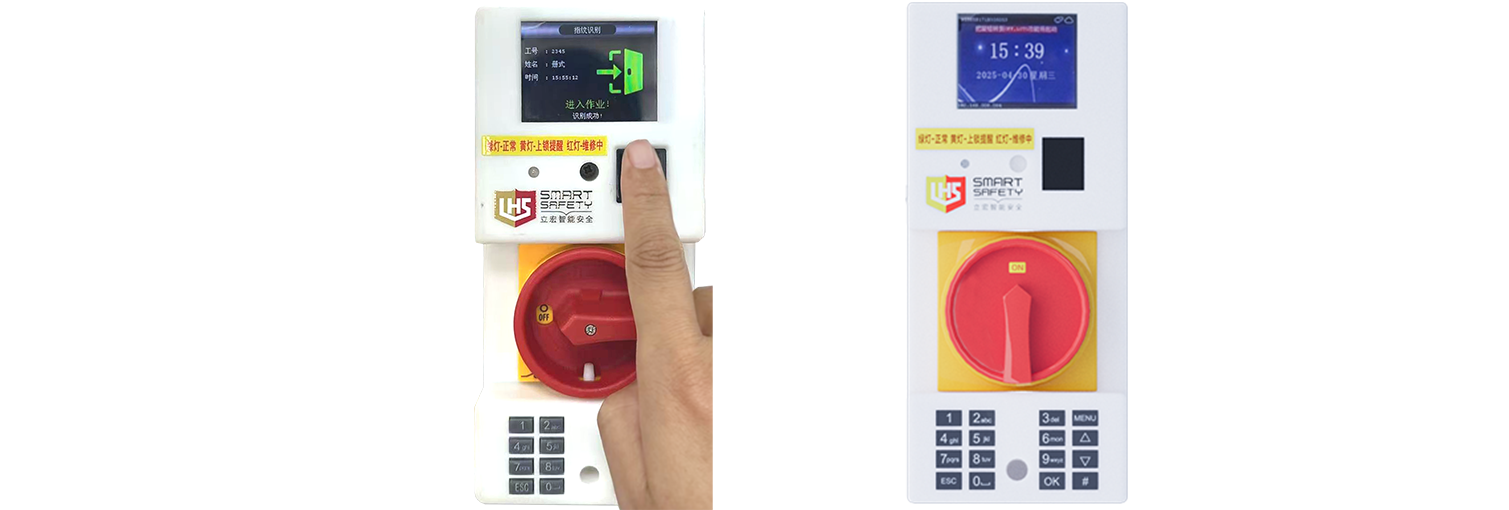
      1. Locking Operation: After completing the fingerprint locking operation individually, the task can be started.
      2. Unlocking Process:
      • After the task is completed, it is necessary to scan the fingerprint again to unlock.
      • Once the fingerprint verification is successful, the push rod will automatically retract.
      1748221526382547.png

      III. Multi-person Operation Process
      1. Locking Operation: Work can only commence after all operators have completed fingerprint scanning.
      2. Unlocking Process:
      • After the task is completed, all personnel must re-scan their fingerprints.
      • The equipment can only be unlocked if all identity verification information matches. Failure to verify any individual will prevent the device from unlocking.
      • Once verification is successful, the push rod will automatically retract

      IV. Administrator Unlocking Authority
      Administrators can unlock the equipment at any time using their fingerprint, without being restricted by the above operation procedures.

      V. Data Synchronization
      When the system is connected to the network, it will synchronize the following information with the management platform in real time:
      1. Personnel data (Who);
      2. Fingerprint data (When);
      3. LOTO equipment number (Where).

      1749174854696142.png


      Multiple Functions of Smart LOTO

      1747991918444788.png

      • Personnel Authorization Management
      • Automatic Energy Lockout
      • Hierarchical Authorization for Unlocking
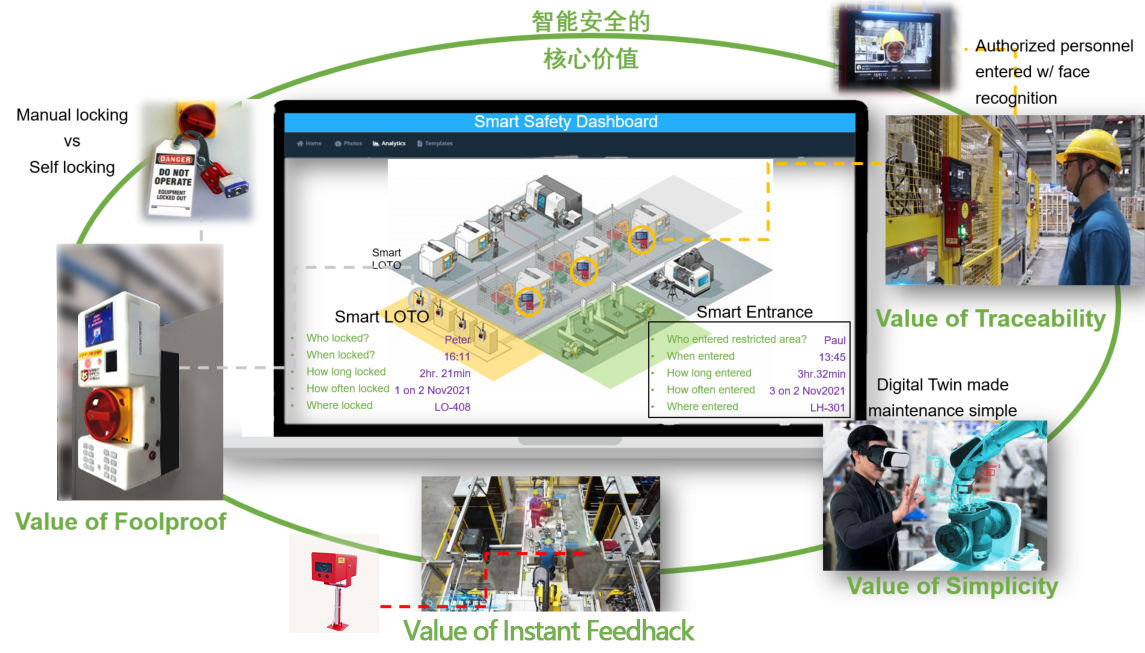
      • Digitalization of Work Processes with Full-Process Monitoring and Data Collection
      • On-Site Voice-Controlled Alarm Reminders
      • Directly view the status and work process via PC or APP.
      • Seamless Integration with Comprehensive Data Collection, Analysis, and Traceability


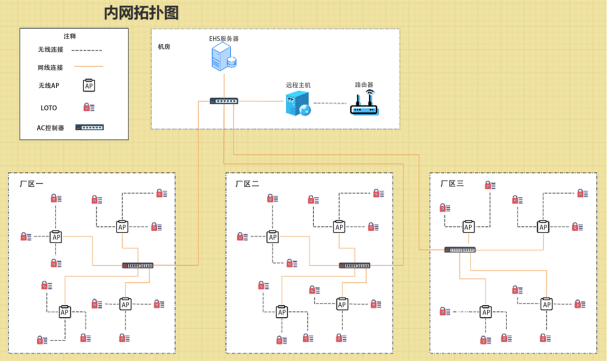
      Network topology diagram

      image.png


      Smart Automatic Lockout-Tagout Operation Steps

      Step1: Manual Button Rotation

      • Automatically detect the power switch in the off state.
      Step 2: Authorized Fingerprint Recognition within the Specified Time
      • The push rod automatically extends, locks in place, and the indicator light turns yellow.
      Step 3: Authorized Fingerprint Unlocking
      • The push rod automatically retracts, the indicator light turns red, and a countdown and voice announcement are triggered.
      • Reminder to reset the button.
      Step 4: Button Reset
      • the Rotate button to reset, and the indicator light turns green.
      1749085150287763.png


      Digital Management of Smart LOTO

      1749086547254976.png


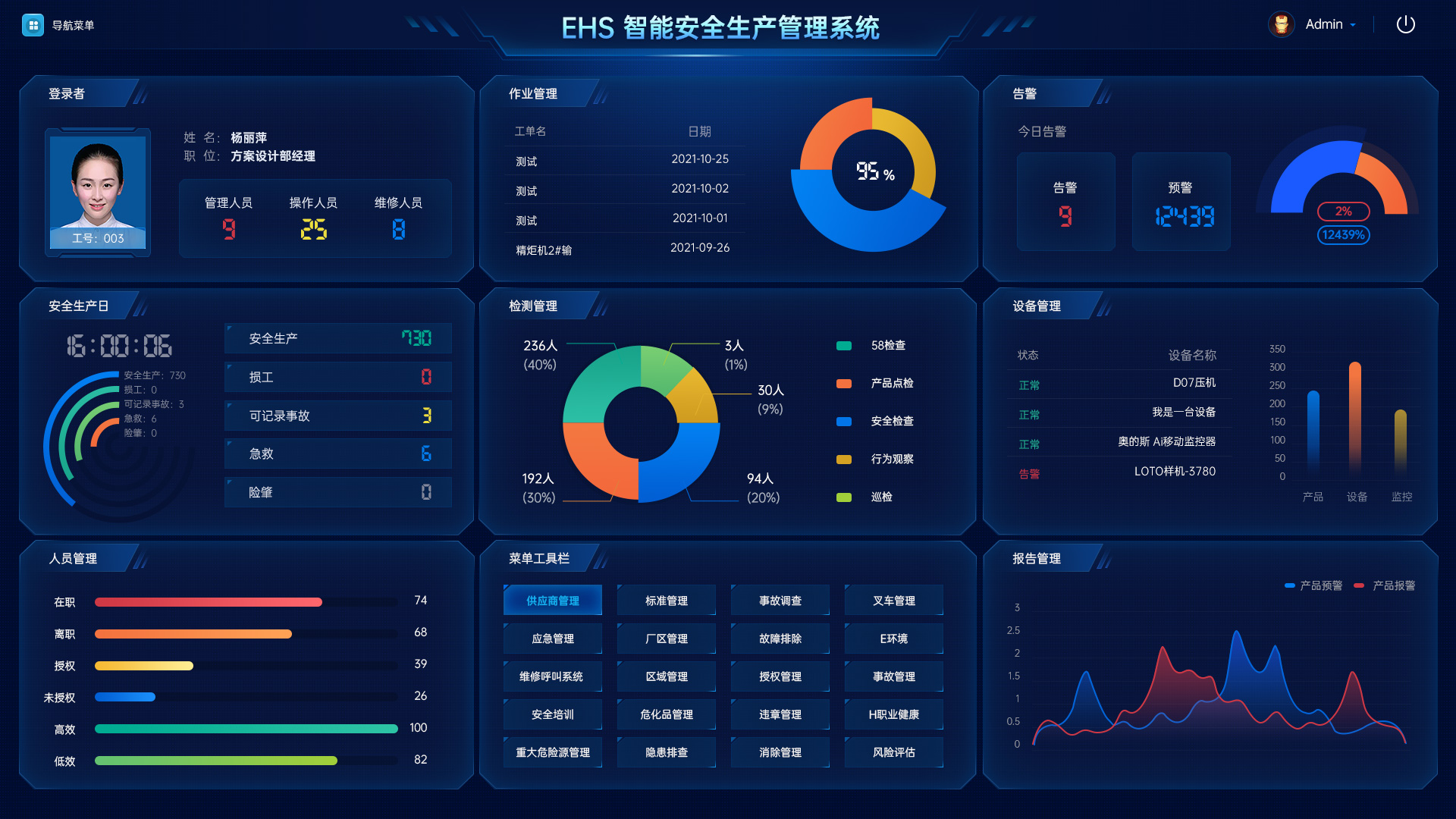
      EHS Intelligent Safety Production Management System

      Cloud Platform

      Cloud Platform Big Data System

      Applicable Environment

      Equipment in production

      Equipment in shutdown

      Production-oriented enterprises

      1749089362465221.png


      Technical Documentation

      Category

      Function Name

      Technical Parameters

      Hardware Product

      Power Supply

      DC12V

      Push Rod Locking Force

      60N

      Fingerprint Capacity

      300人

      Network Communication

      Wifi

      Antenna

      2.4GHz:Built-in antenna

      Protocol

      Protocol Standard

      IEEE 802.3/3u 

      Software functions

      Firewall Fuction

      Basic firewall function,ALG 

      DMZ function,port mapping function,virtual server function

      Syslog Logging Function

      URL Filter Function 

      Support for Policy-Based Routing Function

      Management Platform

      Software Management Platform

      Device data upload, analysis, and storage

      Real-time alerts and alarms

      Provides https interface,mobile APP,Ipad interface,etc.

      AI Smart  LOTO/Intelligent Automatic LOTO Electrical Energy

      AIBOX Intelligent Safety Electromagnetic Door Lock

      AI Early Warning Eye/Intelligent Anti-Tailgating Early Warning Eye

      EHS Smart Safety Production Management Platform

      1638932446959677.png

      1638931534599997.jpg

      1638932006170204.jpg

      微信圖片_20211202091443.jpg


      • Maintenance personnel authorization management
      • Automatic locking of electrical energy
      • Automatic identification of electrical energy status
      • Personnel authorization for locking/unlocking
      • Automatic alarm function


      • Personnel authorization for entry/exit
      • Automatic LOTO (Lockout-Tagout) locking and tagging function
      • Industrial safety door lock function
      • Emergency stop function
      • Reset function


      • Identification of the number of people in hazardous areas
      • Identification of authorized personnel in hazardous areas
      • Alarm function for unauthorized personnel identification
      • Full-process tracking within the area
      • Safety locking function
      • Hierarchical alarm cancellation function


      • Equipment management
      • Risk assessment
      • Work management
      • Behavior management
      • Authorization management
      • Statistical analysis and management


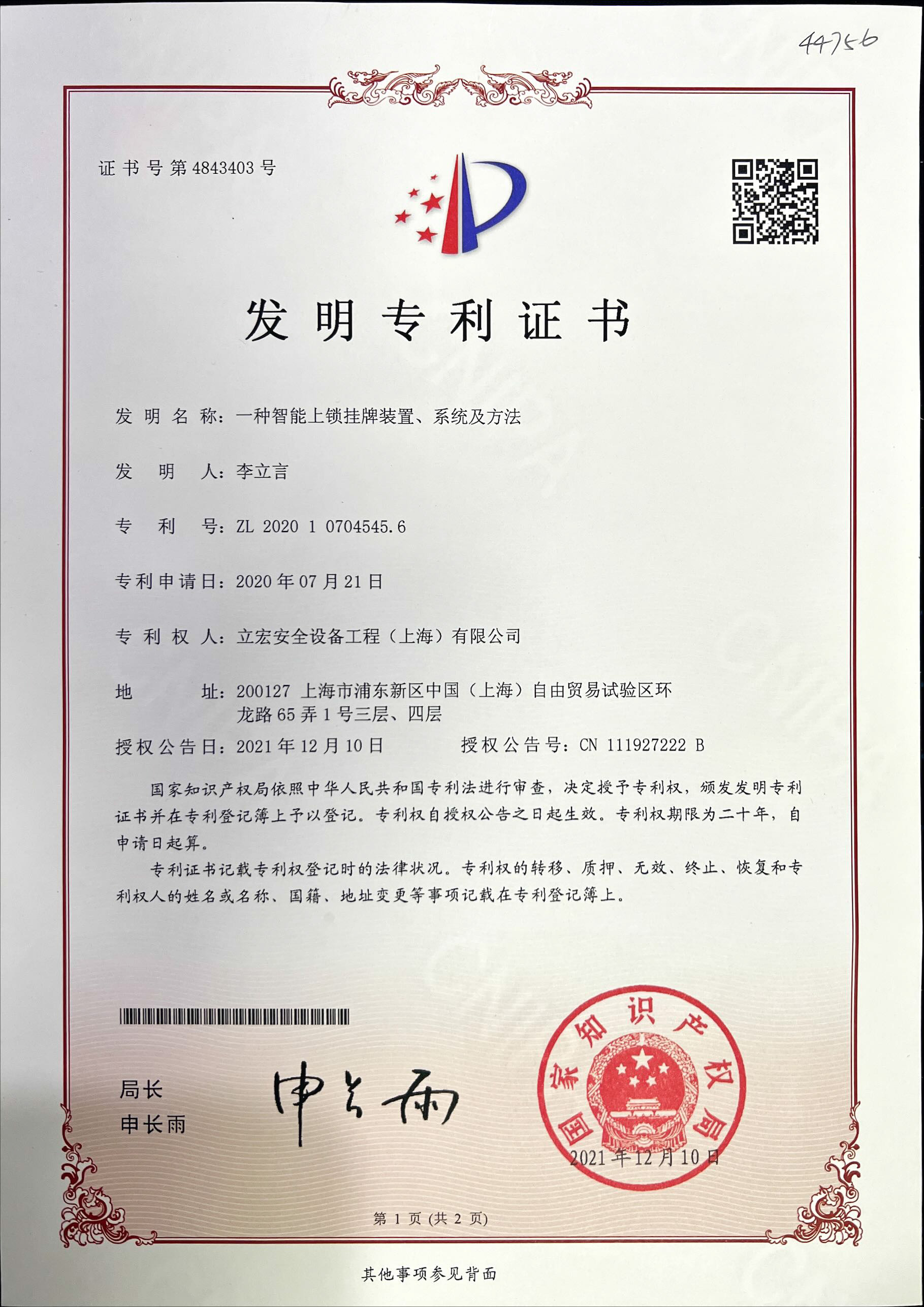
      Intelligent locking and tagging device, system and method

      1642472381541202.jpg


      Related Products
      Download
      PDF file download
      Video file download
      Previous

      Contact us

      400-881-6062

      Lihong Safety Equipment Engineering (Shanghai) Co., Ltd.

      E-Mail: info@lh-safety.com

      Address: 581 Xiuchuan Road, Chuansha Town, Pudong New District, Shanghai

      (Greenland East Coast International Plaza-Room A 313)

      Copyright ? Lihong Safety Equipment Engineering (Shanghai) Co., Ltd.  ICP19034341-1  Technical Support: lanjujing

      Online service

      Online message

    1. Click to refresh